Overview
A government sports department that wanted to open its venues to everyone
The Sports Authority of Andhra Pradesh (SAAP) manages some of the state's finest sporting infrastructure — stadiums, courts, and training grounds spread across districts. For years, access to these venues was informal, opaque, and largely restricted to registered athletes and coaches. Citizens who wanted to book a court for a weekend game had no clear path to do so.
The department approached us with a commercial mandate: build a digital platform that lets anyone — citizens, athletes, coaches — discover, book, and pay for sports venues across Andhra Pradesh. The platform would also need role-specific dashboards for coaches managing team slots, admins overseeing the entire state, and SAAP staff handling on-ground operations. This was a zero-to-one build — no legacy system, no prior digital booking product — started entirely from scratch.
Research & Discovery
Four very different people, one shared booking problem
I opened discovery with the SAAP Managing Director to understand the commercial vision and state-level operational constraints — things like venue availability rules, coach scheduling authority, and government compliance requirements. From there I worked outward to coaches, athletes, and citizens to understand how each group currently accessed venues and what friction they faced.
- State-wide visibility of bookings and revenue
- Oversight of coach and staff activity
- MIS reports for government compliance
- Commercial monetisation of idle venues
- Block regular training slots for their teams
- Manage squad availability across sessions
- Prevent citizen bookings on reserved slots
- Track their own session history
- Book practice sessions at specific venues
- Know which courts are available when
- Verify membership and registration status
- Access training schedules set by coaches
- Discover sports venues near their location
- Book a court for casual or group play
- Pay online without visiting the venue
- Get booking confirmation and reminders
"A coach blocking training slots and a citizen booking a casual game are both doing the same action on the backend — but they need completely different interfaces, permissions, and information hierarchy."
Design Insight — SAAP Pay & Play
Design Process
IA first — then role by role
The complexity of this project came from the multi-role nature of the system. A single "book a slot" action has fundamentally different implications depending on whether it's a citizen booking for leisure, a coach blocking for team practice, or an admin overriding a conflict. The information architecture had to hold all of that cleanly before I could design a single screen.
Product Screens
Venue booking, slot management, and the admin view
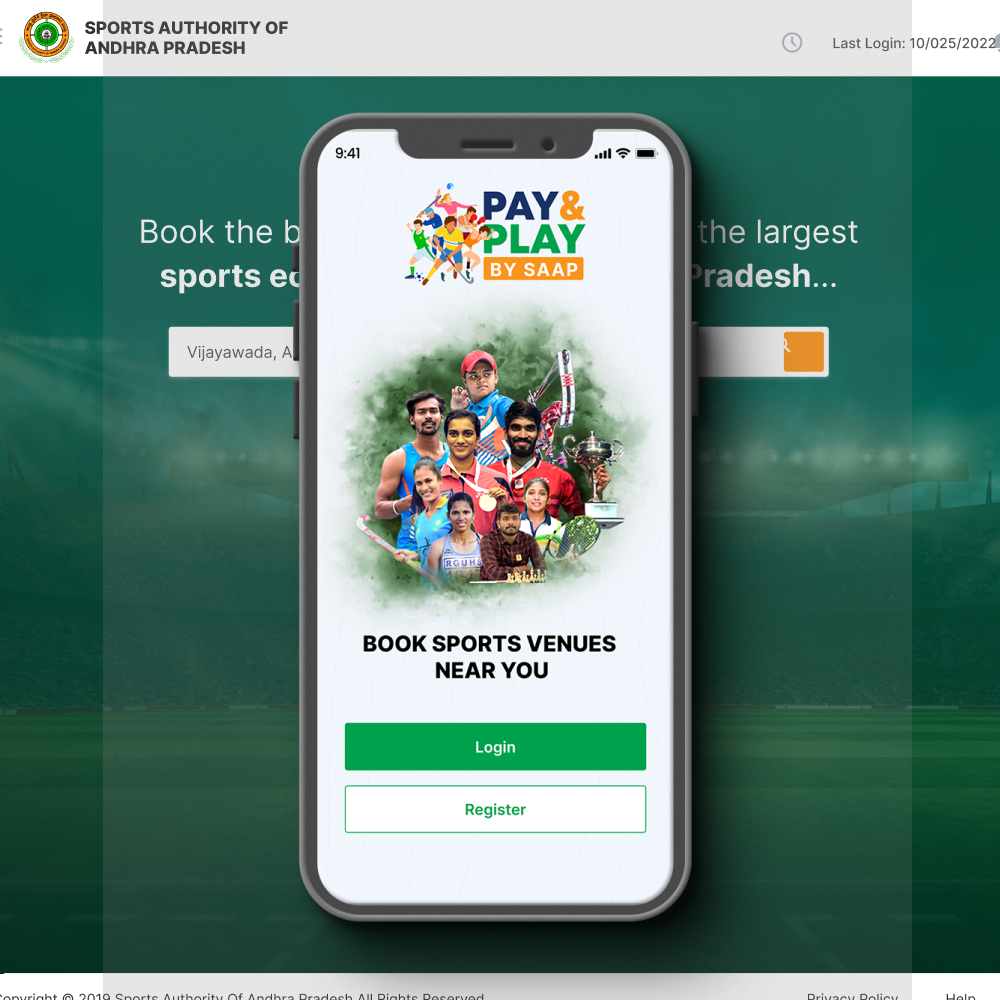
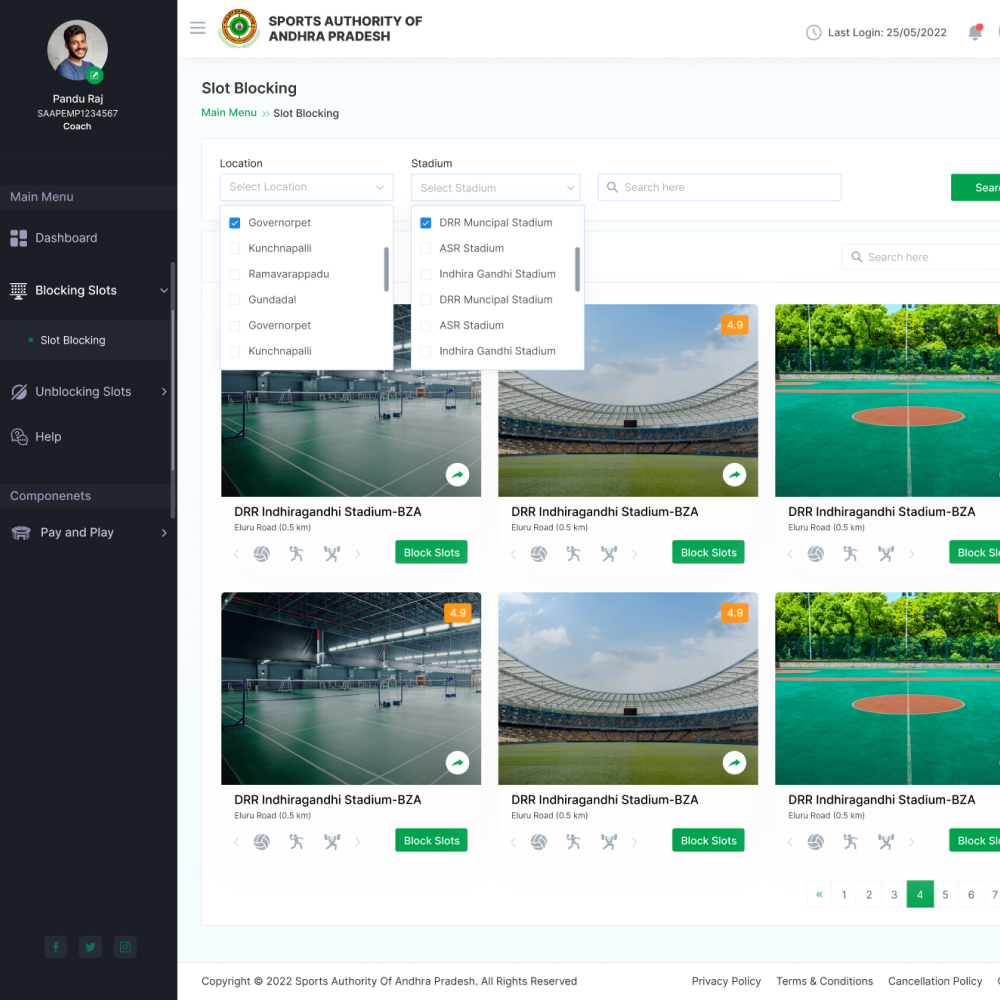
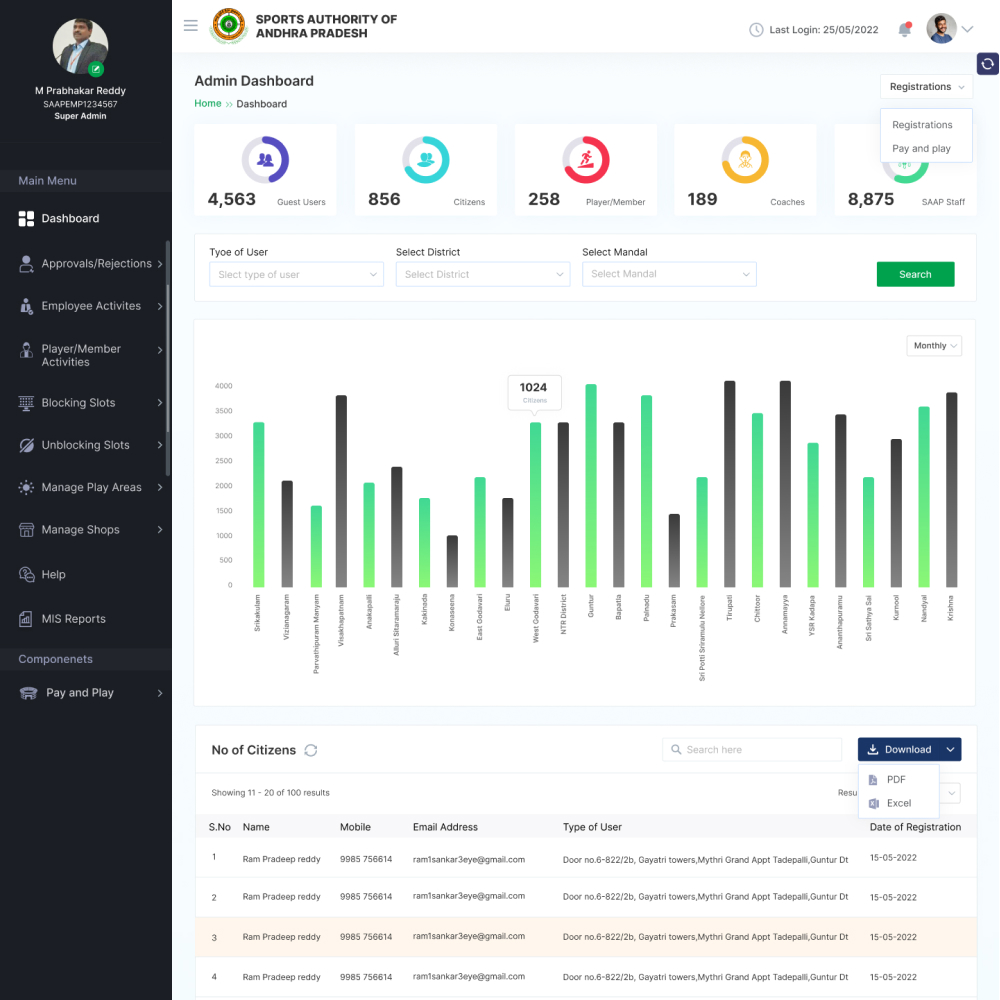
Three screens from the delivered platform — the Pay & Play mobile entry point, the coach's slot-blocking interface with multi-location filtering, and the super admin dashboard with state-wide registration analytics and MIS export.
Design Decisions
The choices that made this work
Payment inline — not a separate page
Citizen booking was designed as a single continuous flow — venue search, slot selection, and payment all on the same progression without redirects or page jumps. Dropping users to an external payment page at checkout was the single biggest drop-off risk, so I eliminated the handoff entirely.
Slot blocking vs booking — same action, different permissions
Coaches "block" slots — reserving them for team practice with authority to prevent citizen bookings on those times. Citizens "book" slots — purchasing access to available slots. The backend action is similar; the interface, confirmation language, and authority level are completely different.
Location + stadium cascading filter
Andhra Pradesh has dozens of districts and hundreds of venues. The booking interface uses a cascading filter — select district first, then the available stadiums in that district populate automatically. This prevented coaches and citizens from being overwhelmed by the full venue inventory upfront.
MIS-first admin dashboard
The super admin dashboard was designed around government reporting needs, not just operational monitoring. District-wise registration charts, user-type breakdowns, and one-click PDF/Excel export were first-class features — not afterthoughts — because compliance reporting drives internal adoption in government systems.
Outcomes
What the platform delivered
Reflection
What I learned building for government sports
Government digital products have a specific challenge that commercial products don't: the most powerful users (admins, MDs) are not the most frequent users, but their buy-in decides whether the platform survives. So you design the citizen experience to be delightful, and you design the admin experience to be defensible — everything traceable, exportable, and reportable.
The slot-blocking architecture was the hardest UX problem on this project. Getting the mental model right for three different levels of booking authority — citizen booking, coach blocking, admin overriding — without making it feel like a permissions maze took several iterations. The answer was role-specific entry points and distinct language for each action type, so no user ever sees a control they don't have authority to use.
This project also reinforced something I've come to rely on: talking to the people at the top and the people at the ground in the same discovery sprint. The MD told me what the system needed to be. The coaches and citizens told me what it needed to feel like. The design is the intersection of both.
Interactive Prototype
Explore the SAAP Pay & Play Figma prototype
The full design prototype is embedded below — navigate through the citizen booking flow, coach slot-blocking screens, and admin dashboard to explore the complete interaction model.